Author: writer

  • Understanding the Overview tab

    The Overview tab gives you a snapshot of a profile’s performance at a glance.
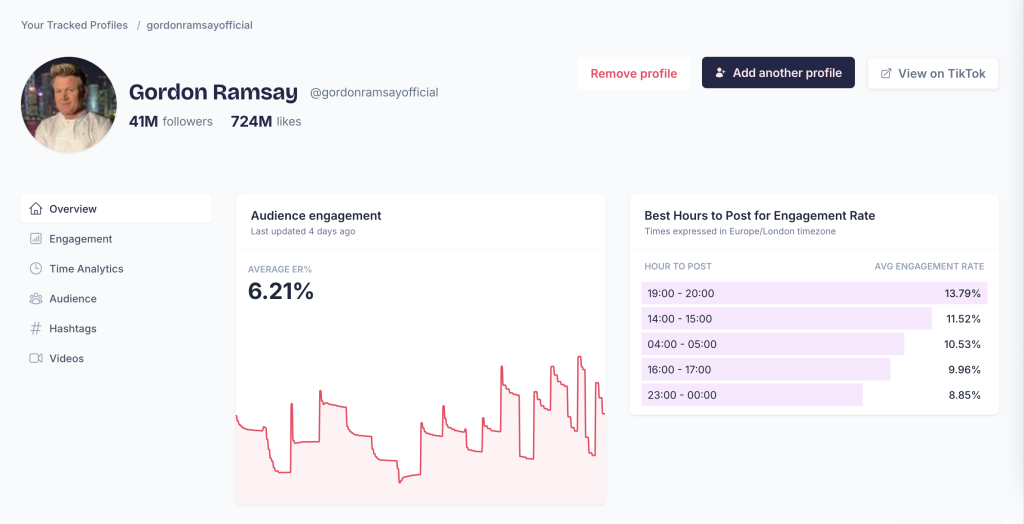
    Profile header

    At the top of the page you’ll see:

    • Followers — Total number of followers
    • Likes — Total likes across all videos

    Audience engagement
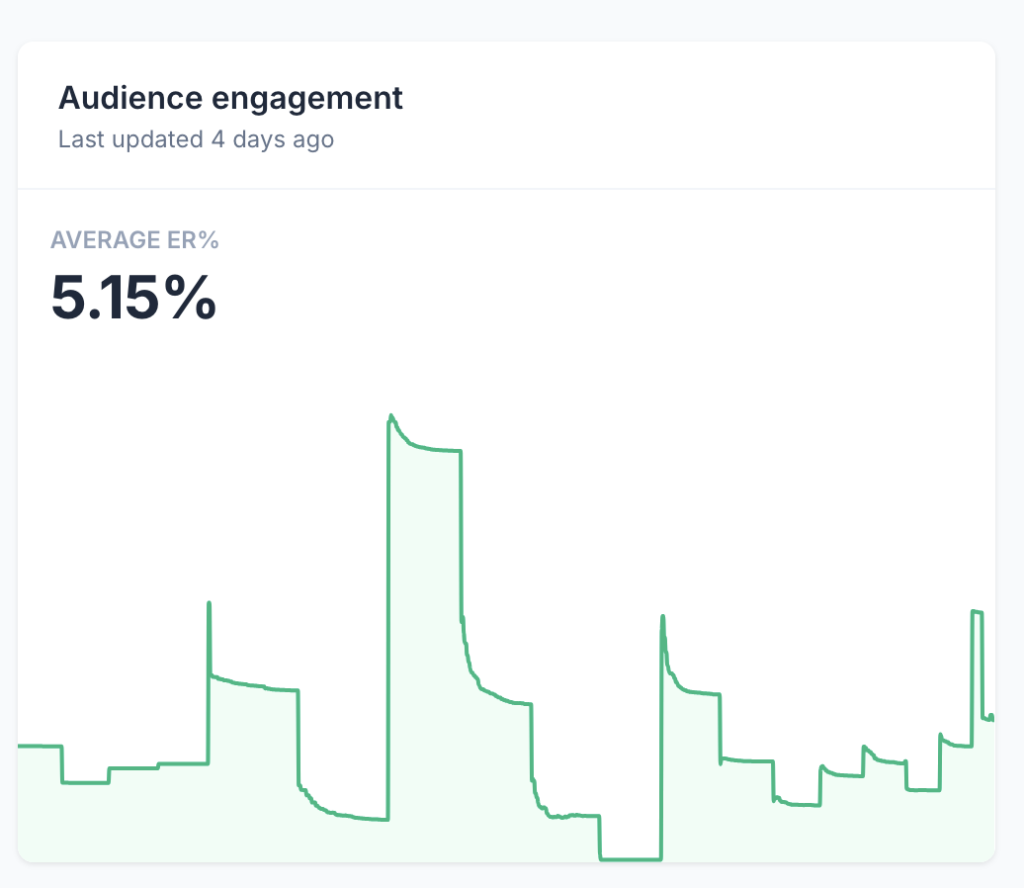
    The Average ER% (engagement rate) shows how much interaction a profile’s videos receive relative to their follower count. A higher percentage means the audience is more engaged.

    The chart below shows engagement over time, so you can spot trends.

    Best hours to post
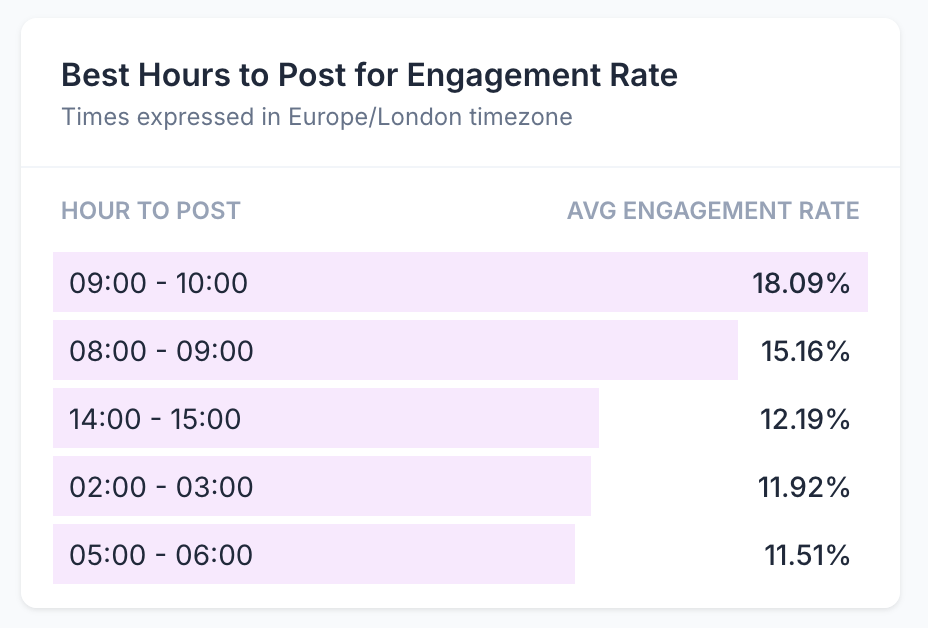
    This section shows the hours when this profile’s videos have historically performed best. Times are displayed in your selected timezone. Use this to schedule posts when the audience is most active.

    Video metrics
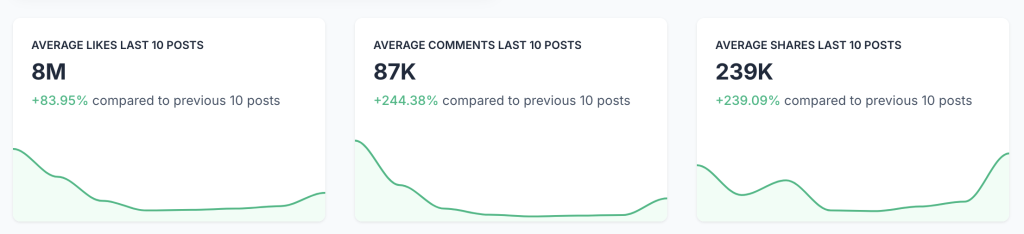
    Three cards show average performance for the last 10 posts:

    • Average likes
    • Average comments
    • Average shares

    Each card also shows a percentage change compared to the previous 10 posts, so you can see if engagement is improving or declining.

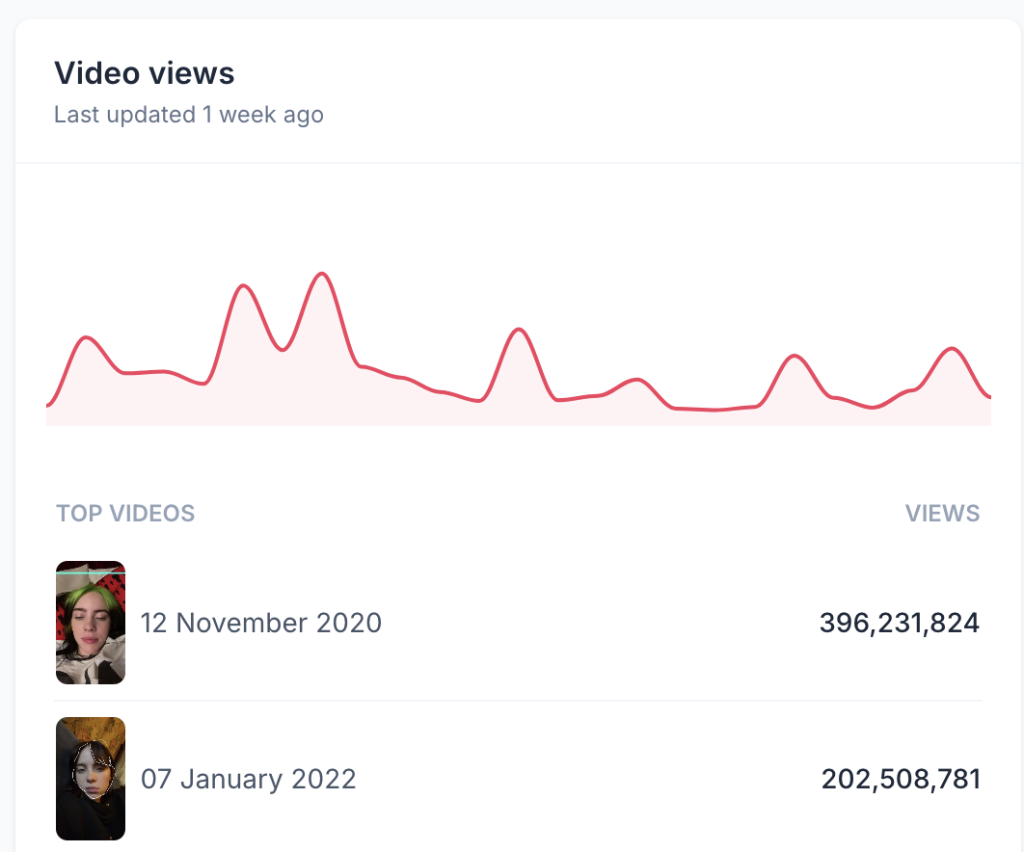
    Video views

    A chart showing view trends over time, plus a table of the top-performing videos by views.

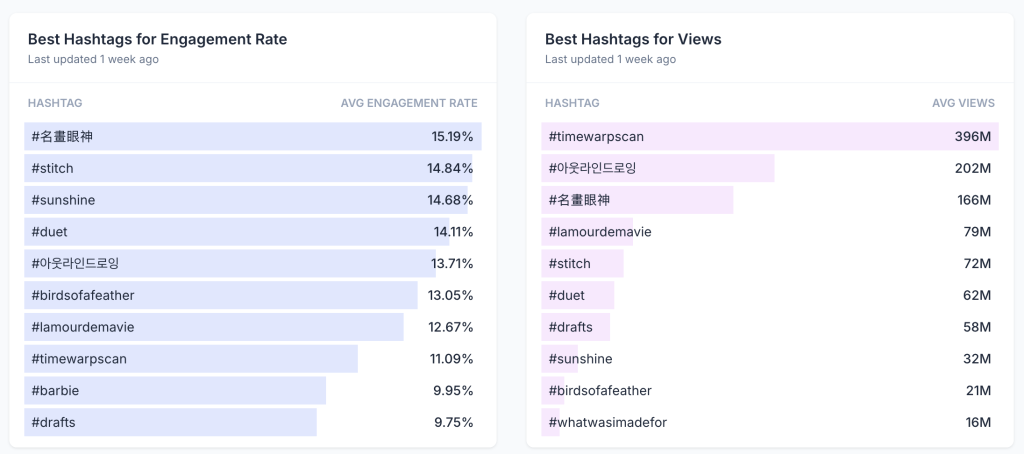
    Best hashtags

    Two lists show which hashtags have worked best for this profile:

    • Best Hashtags for Engagement Rate — Hashtags that generate the most interaction
    • Best Hashtags for Views — Hashtags that drive the most views

    Latest videos and top videos
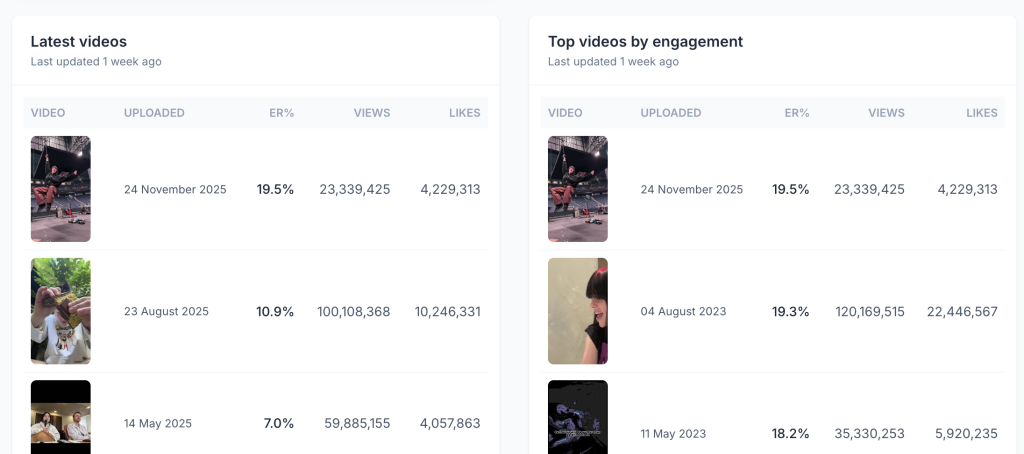
    At the bottom, you’ll find the profile’s most recent videos and their top-performing videos by engagement.

  • How To Calculate TikTok Engagement Rate

    Engagement rate measures how much your audience interacts with your content relative to how many people see it. On TikTok, a high engagement rate signals that your videos resonate with viewers.

    The formula

    Tokchart calculates TikTok engagement rate using this formula:

    Engagement Rate = (Likes + Comments + Shares) ÷ Views × 100

    For example, if a video has 500 likes, 50 comments, 25 shares, and 10,000 views:

    (500 + 50 + 25) ÷ 10,000 × 100 = 5.75%

    Why views, not followers?

    Some platforms calculate engagement rate using followers as the denominator. We use views because TikTok’s algorithm shows content to people beyond your followers. A video can go viral and reach millions even if you have a small following.

    Using views gives you a more accurate picture of how engaging your content is to the people who actually see it.

    What’s a good engagement rate?

    • Above 5% — Excellent. Your content resonates strongly with viewers.
    • 3% to 5% — Good. You’re performing at or above average.
    • Below 3% — Room for improvement. Consider experimenting with content style, posting times, or hooks.

    The average engagement rate on TikTok is around 3%, but this varies by niche and follower count. Smaller creators often see higher engagement rates because their audience is more dedicated.

    How to improve your engagement rate

    • Hook viewers in the first second — Start with movement, a question, or something unexpected.
    • Ask for engagement — Prompt viewers to comment, share, or duet.
    • Reply to comments — This encourages more conversation and signals to the algorithm that your content sparks discussion.
    • Post when your audience is active — Use Tokchart’s Time Analytics to find your best posting times.
    • Keep videos short — Shorter videos tend to have higher completion rates, which boosts engagement.

    Check your engagement rate

    Use our free TikTok Engagement Rate Calculator to check the engagement rate for any TikTok profile.